# Delete Your Account
If you no longer wish to use the app, you can permanently delete your account by following these simple steps:
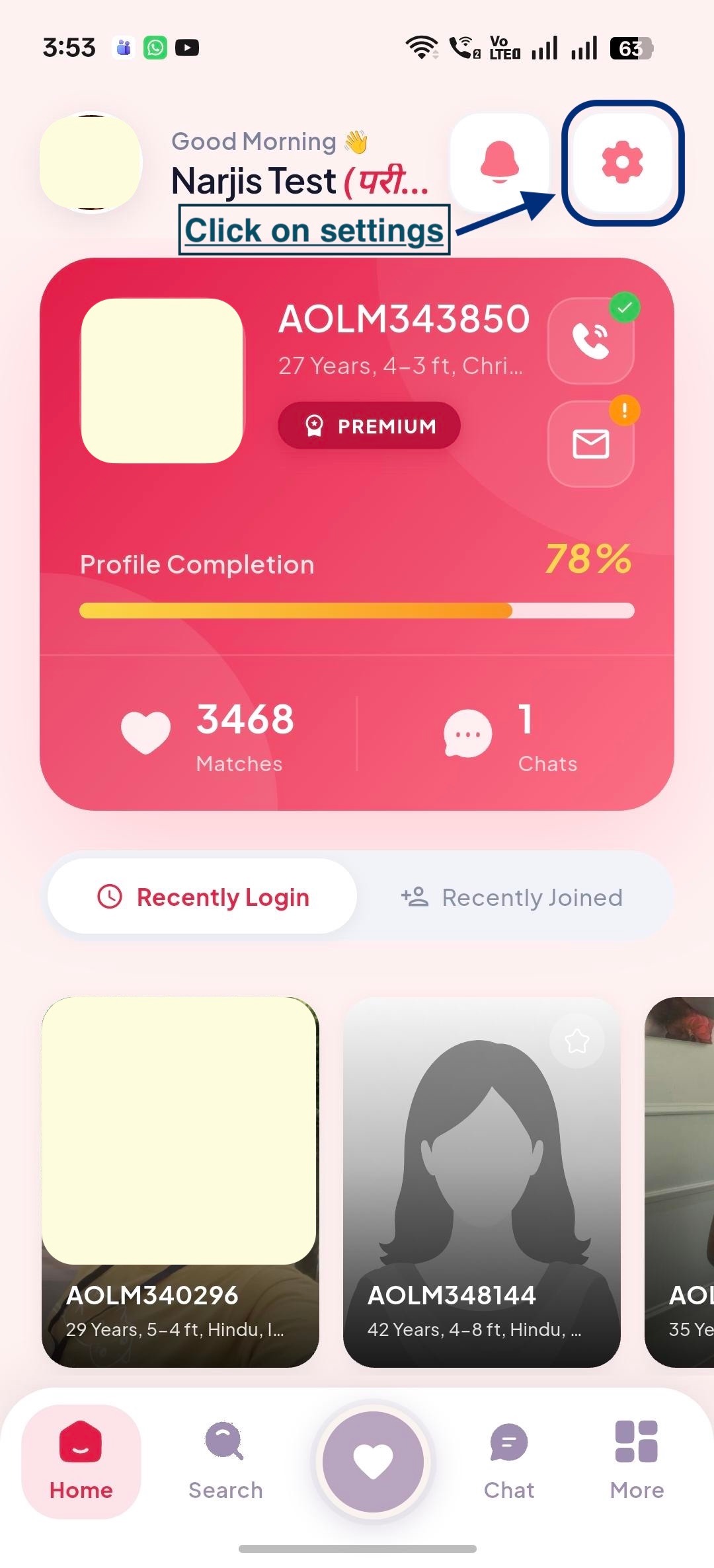
### Step 1: Open Dashboard
Tap the Settings (⚙️) icon located in the top-right corner of the Profile screen.
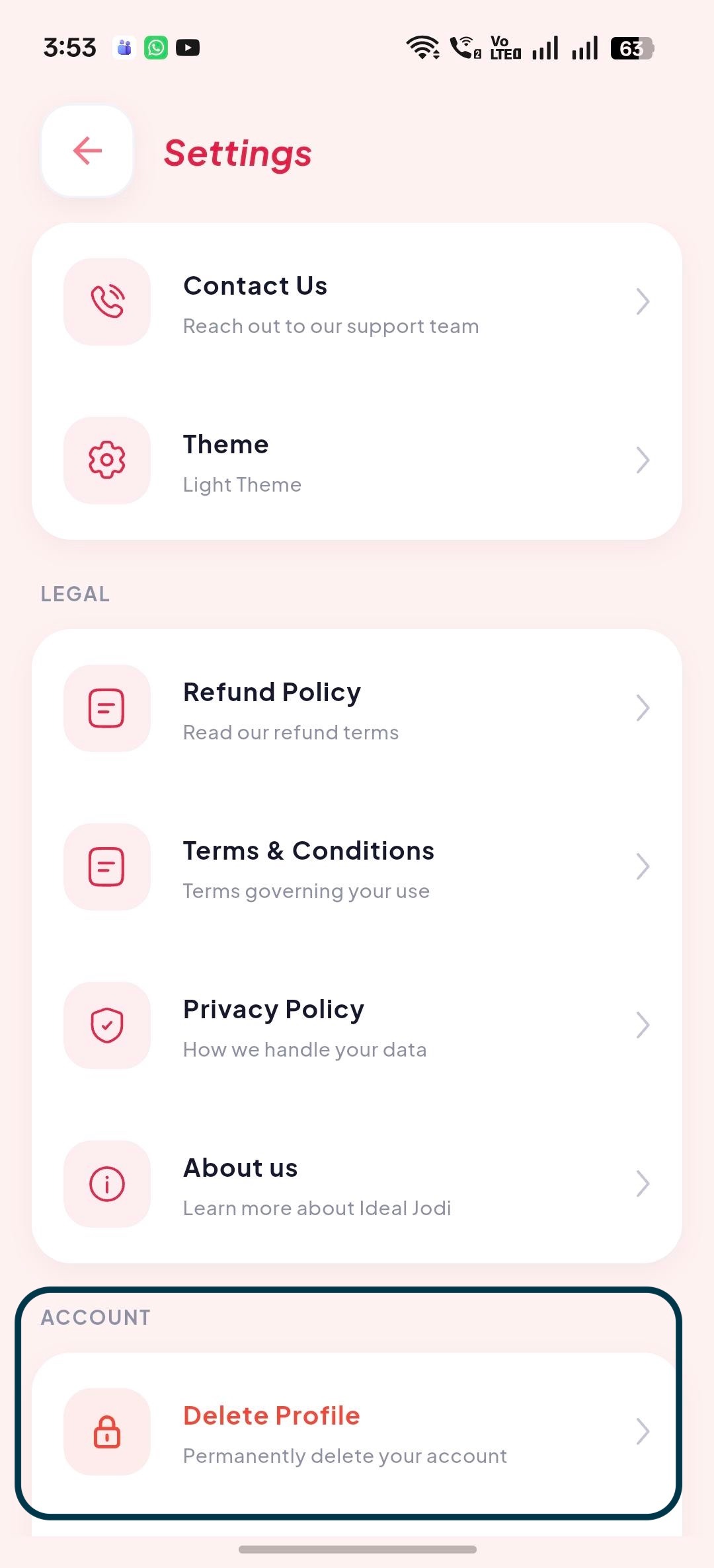
### Step 2: Select "Delete Profile"
Scroll down to the Delete Profile option in the Settings menu and tap on it.
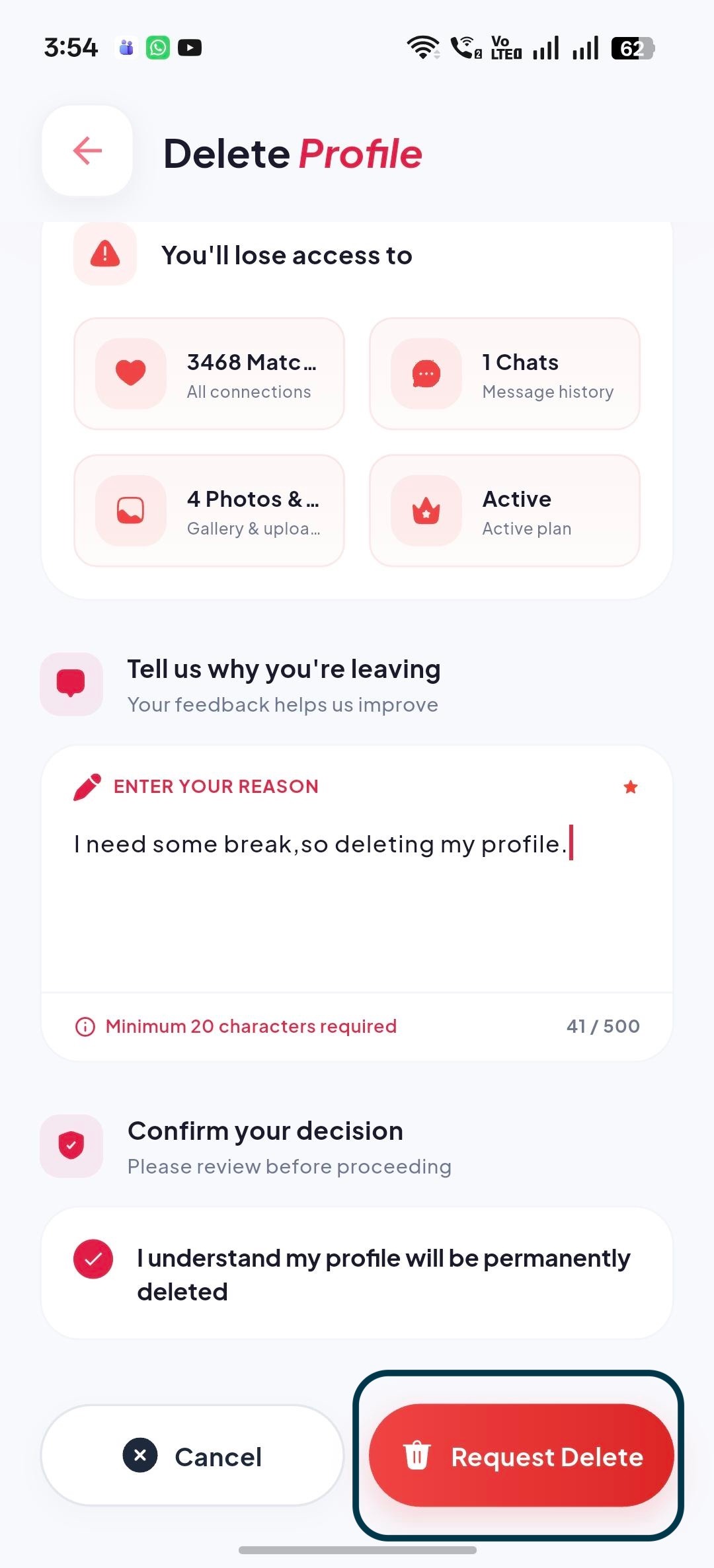
### Step 3: Request Delete
Scroll to the bottom of the page, enter the reason for the deletion, select the confirmation radio button, and click the Request Delete button.
> Note : Deleting your account is permanent. Your profile, photos, matches, chats, membership details, and other associated data will be removed or handled in accordance with our Privacy Policy and applicable laws. If you change your mind after confirming, the action may not be reversible.